Reference the table to the right for everything I discuss here.
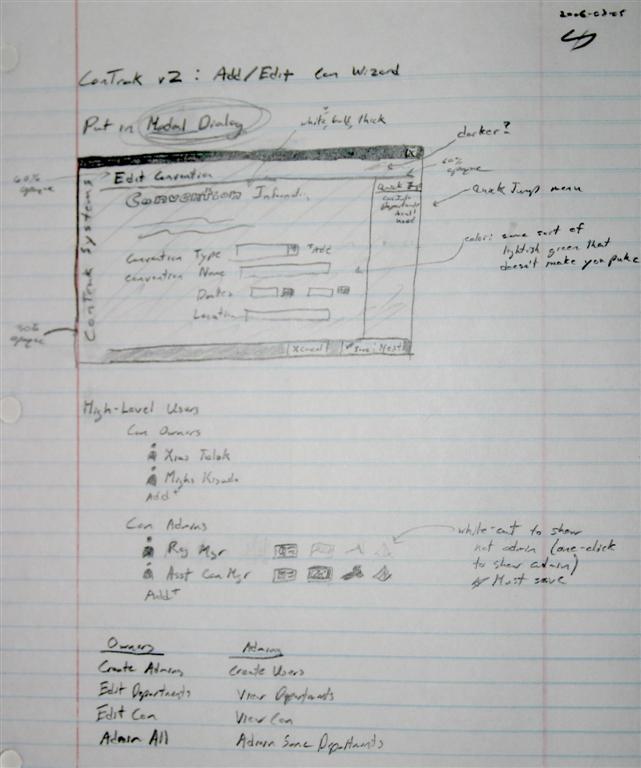
I spent about three hours today making some high-quality designs for what I hope will be the Add/Edit Convention Wizard in ConTrak Systems v2. (The bottom image is the actual design page I drew up a few days ago; all other pages I design go by this type of drawing and sheet--no joking. So believe me when I say that these are "high-quality" designs--especially when compared to what I am used to!) The idea is that the wizard will appear in a smaller window with just the operating system's title bar.
That aside, permit me to some discussion concerning each of these screens. Keep in mind I am looking for feedback, so these may change dramatically when the ConTrak v2 CTP or beta comes out.
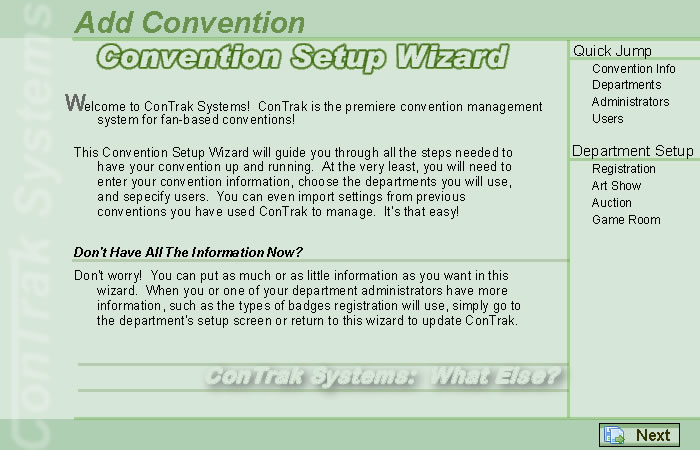
"Welcoming" Screen - Most likely, this is the first real screen any new convention owner will see in ConTrak. I want to welcome the person to ConTrak and explain this wizard's purpose. I also want to assure the user that, though this wizard can ask for a huge amount of information, the user can come back to it at a later time. In fact, very few items are actually required in this wizard to set up the convention.
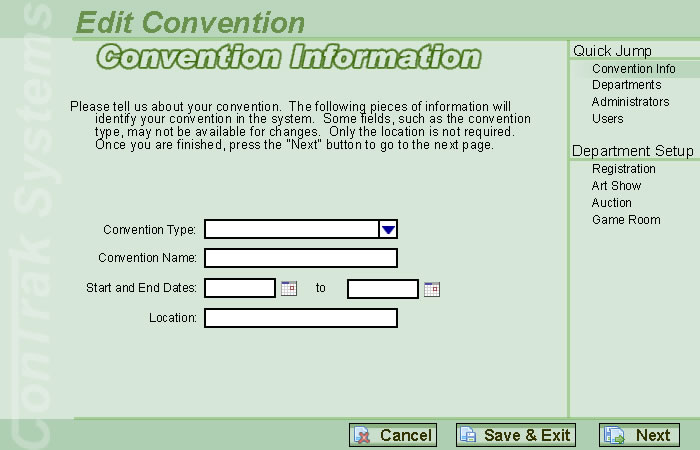
Convention Information - This is one of the two actually required screens in the wizard. Because I will have the convention already set up before the owner logs in for the first time (I need to in order to allow the owner to log in--plus, I need to set the departments that the owner is allowed to choose). I need to know information about the convention, such as name and date. The convention type will already be filled in and the user cannot choose another type. Most of this screen is self-explanatory, so I will leave it at that.
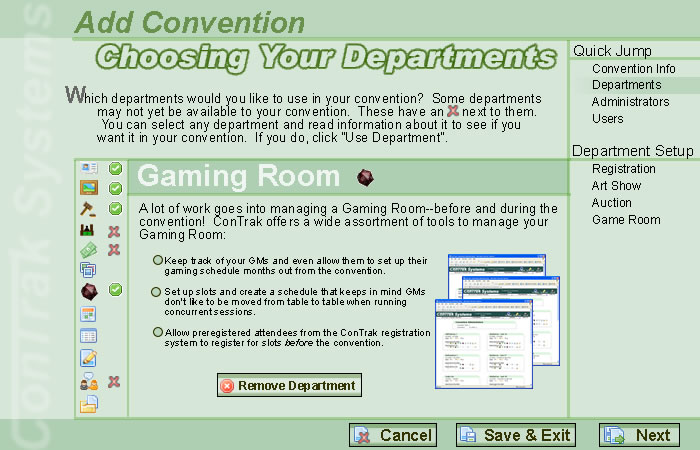
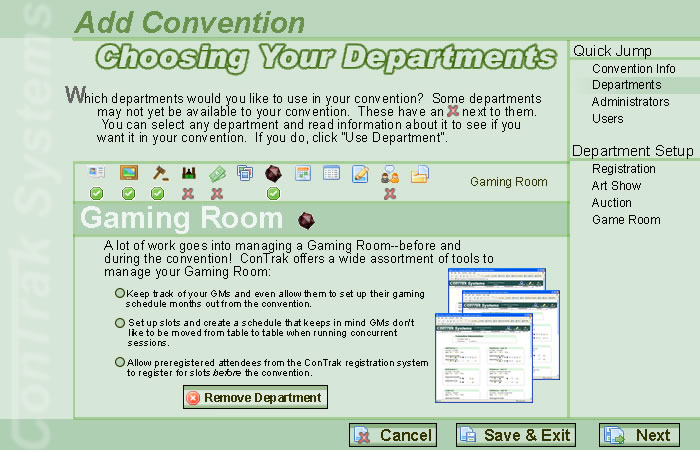
Choosing Your Departments (Horizontal and vertical) - I do not know which way I want this page designed--using the horizontal department icon layout or the vertical one. I am heavily leaning towards the vertical layout. Continuing, this page is very important because it does three things: it allows the convention owner to choose which departments the convention will use (out of the possible departments I have already assigned), it shows all the possible departments in ConTrak, and it tries to sell interest in the other departments that the owner has not decided to subscribe.
Conclusion - My main question is if I will be able to design the actual page using graphics and HTML. I am not worried about the programming at all; I have reached a level where I can do most things. Only time will tell on how everything will look in reality. Expect me to begin development on the welcoming screen by March 14th. I have only until December 31, 2006 to complete the entire ConTrak v2 project.
Though tight for what I have to do, I will definitely miss the target if I get a full-time job. If that happens, I will work the job from 8AM-5PM and work at MDG from 6PM-9PM (or 10PM), so I will only have the weekend free. So, no, I will not be able to make it if I get full-time work somewhere else. Just to tempt me, a recruiter called me today about a job in Burlington at what looks to be (my favorite) a small business. Hmm... Do ConTrak free or do full-time and make money... That's actually a very difficult question for me.